
Everything you need to watch is free.
No ads and nothing that runs out. Plus adds more playlists, profiles and screens. Here's what HarmonIQ does today, and what's on the way.
New to IPTV? What it is, and why HarmonIQ.
Everyone their own. Every screen in step.
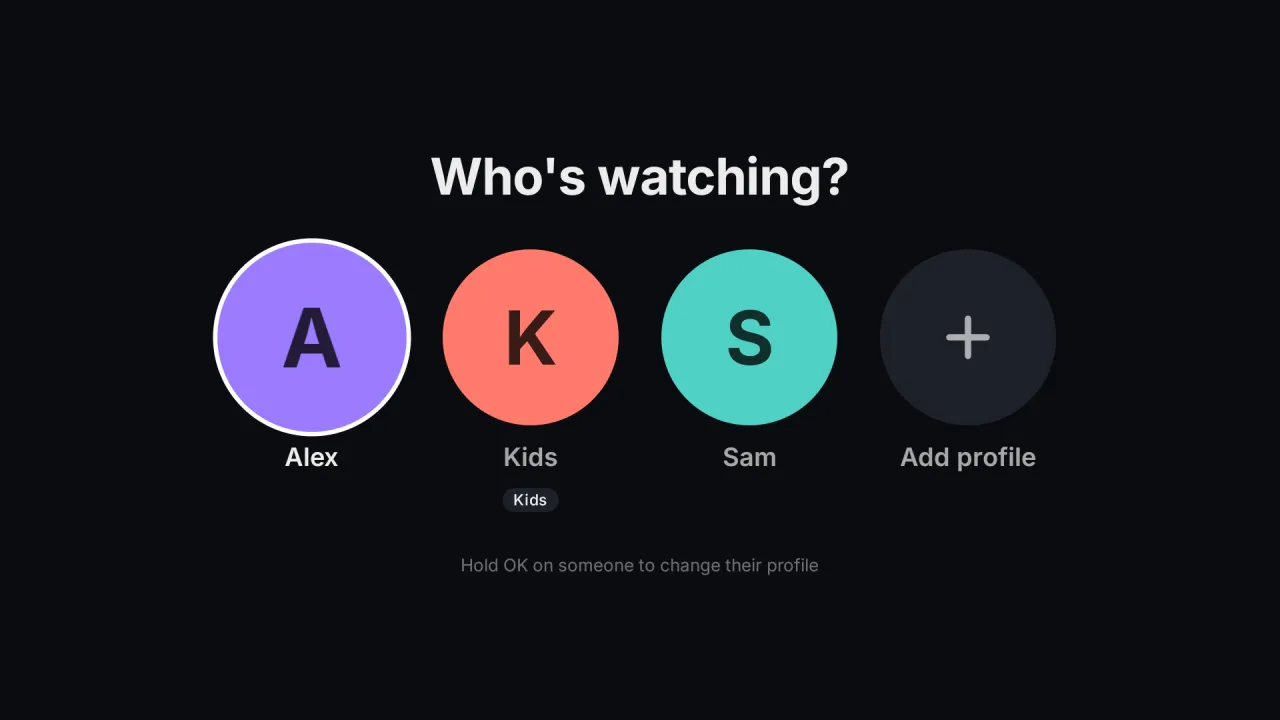
A profile and a Home for each person, shows you watch together kept together, kids' profiles that only show what's allowed, and every screen in the house picking up where you left off.
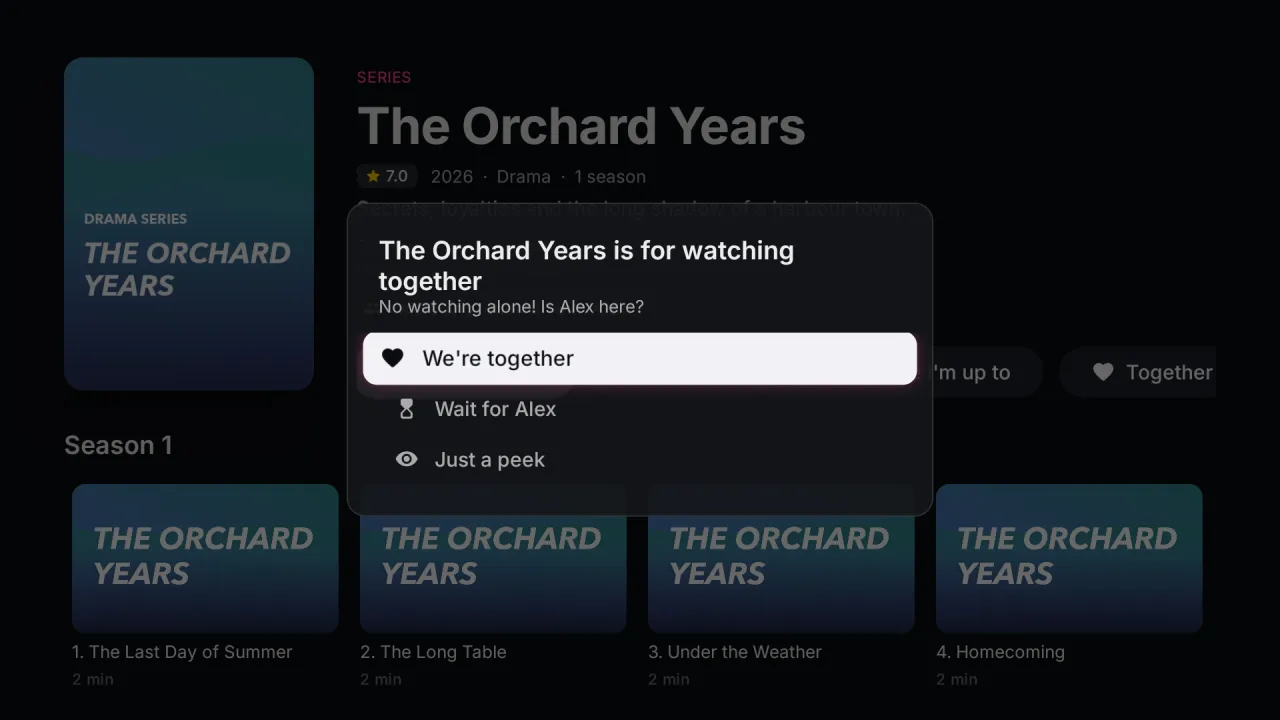
- Watching togetherShare a show between profiles and it keeps one place for all of you, marked Together on its poster. Start it alone and HarmonIQ asks first: we're together, wait, or just a peek. Pick two or more people in Who's watching and shared shows just play. With Plus.
- A Home of your ownEach person chooses which rows their Home shows, in what order, and whether the showcase sits on top, from Home itself, Settings or your phone. Kids' profiles start with their own rows, and changing them asks for the PIN.
- Parental PIN and locked groupsLocked channels stay out of every list until the PIN opens them.
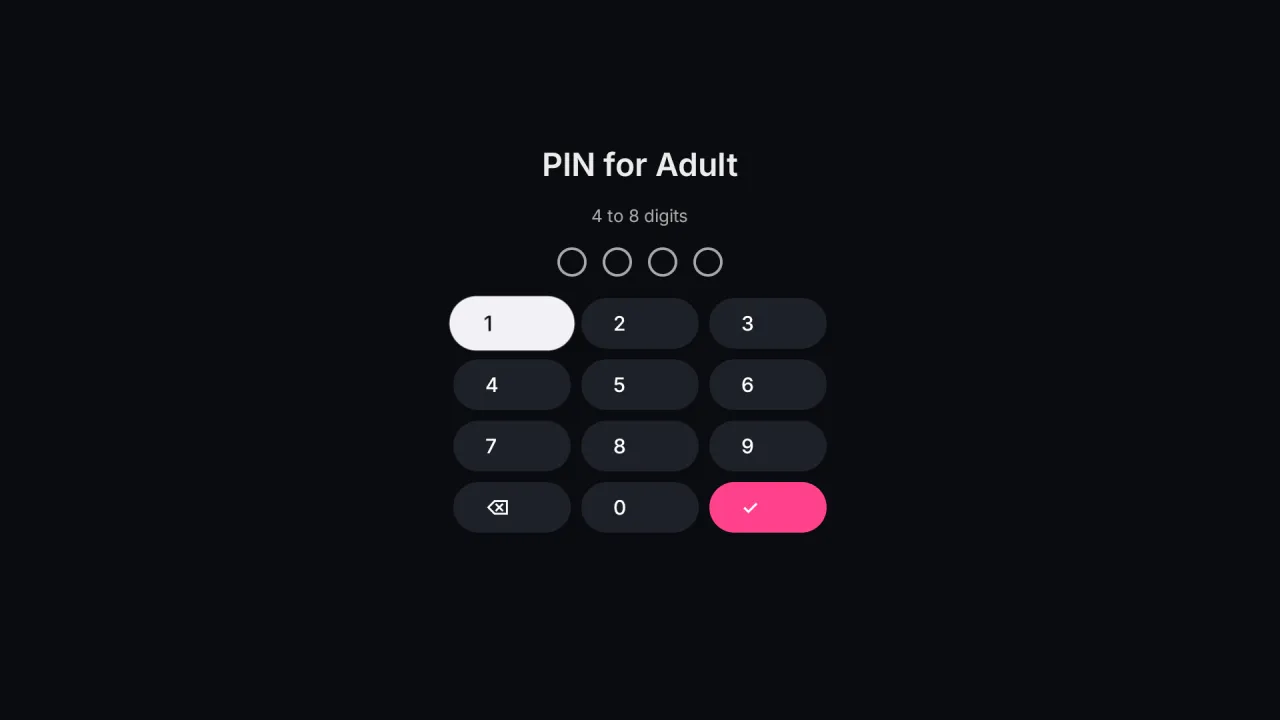
- PINs on the arrow keysA PIN is six presses of up, down, left and right, so there's no on-screen keyboard to fight with. Numbers still work if you'd rather.
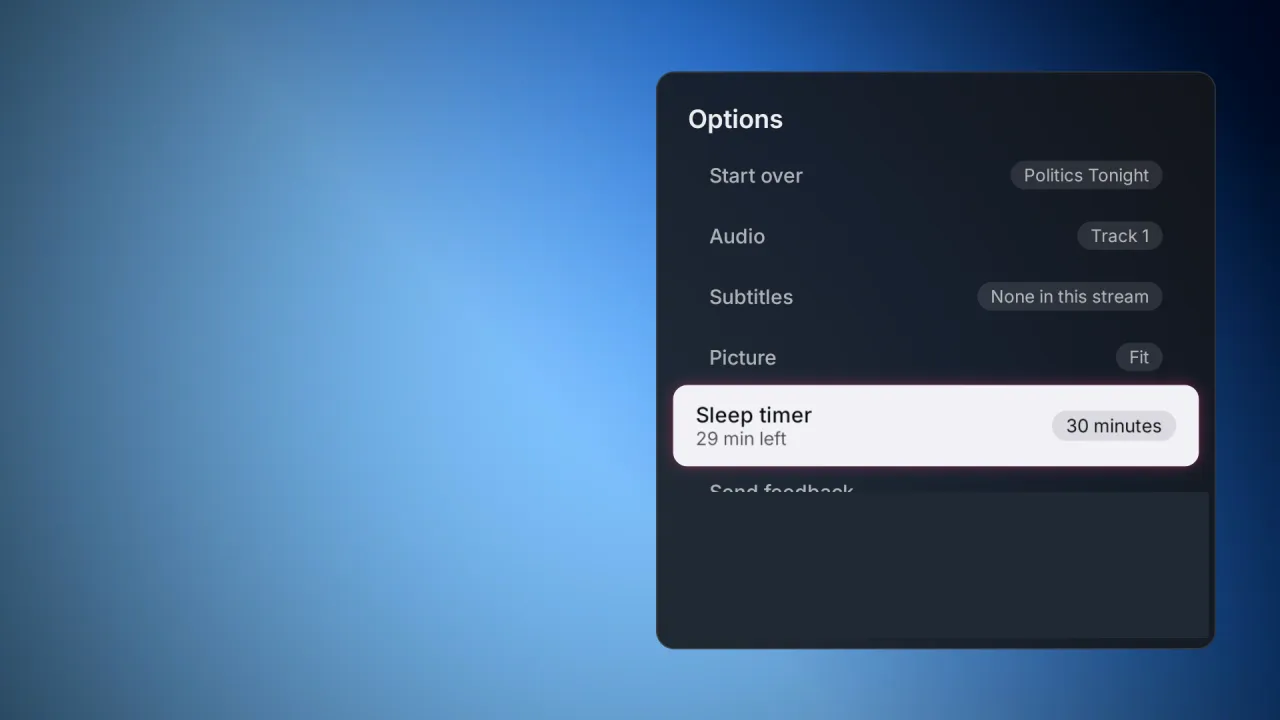
- Captions and audioBroadcast closed captions, subtitles in a clean sans-serif, audio tracks, picture size, a sleep timer.
- Skip sizes and catch-up keysChoose how far the rewind keys and left and right skip, and whether catch-up keys work like a movie or like live TV.
- Controls that explain themselvesA hint in the corner follows what is highlighted. On TV, OK shows the controls and hold OK opens Options. The same Options panel serves live TV, catch-up, films and episodes; Settings and Help explain the remote and the Mac’s keyboard and mouse.
- Set up from your phoneA new TV opens on a QR code. Scan it, add your playlist on your phone, and the TV sets itself up with no more button presses. Rather use the remote? Set up on the TV instead.
- Sync between screensFavourites, My List, history and resume points follow each person to every screen in the house. With Plus.
- HarmonIQ for MacThe same HarmonIQ on a Mac with Apple silicon: the same account, playlists, profiles, favourites and history, used with a mouse, trackpad and keyboard instead of a remote.
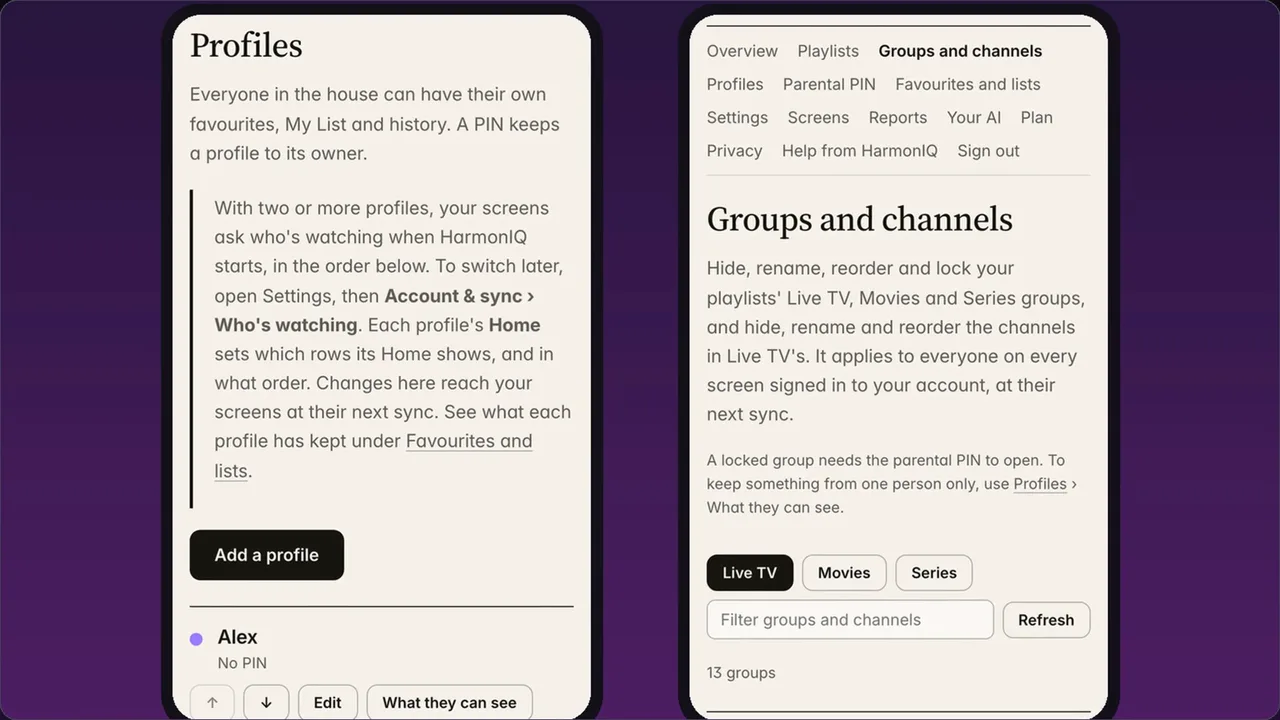
- Watcher profilesEach person gets their own favourites, lists, history and limits. Preview how profiles work from Home or the side menu before signing in. A free account has a profile and a Kids profile; up to 6 with Plus. The TV asks who’s watching at start-up, and the menu logo switches profile any time.
- Help a family memberSet up or fix a relative's TV provider from your own phone. They read you a code, say yes on their TV, and can undo or remove you whenever they like.
- What each profile can seeSet from your account: keep adult content, locked groups or any group you choose away from one person, without making theirs a Kids profile. Every screen follows.
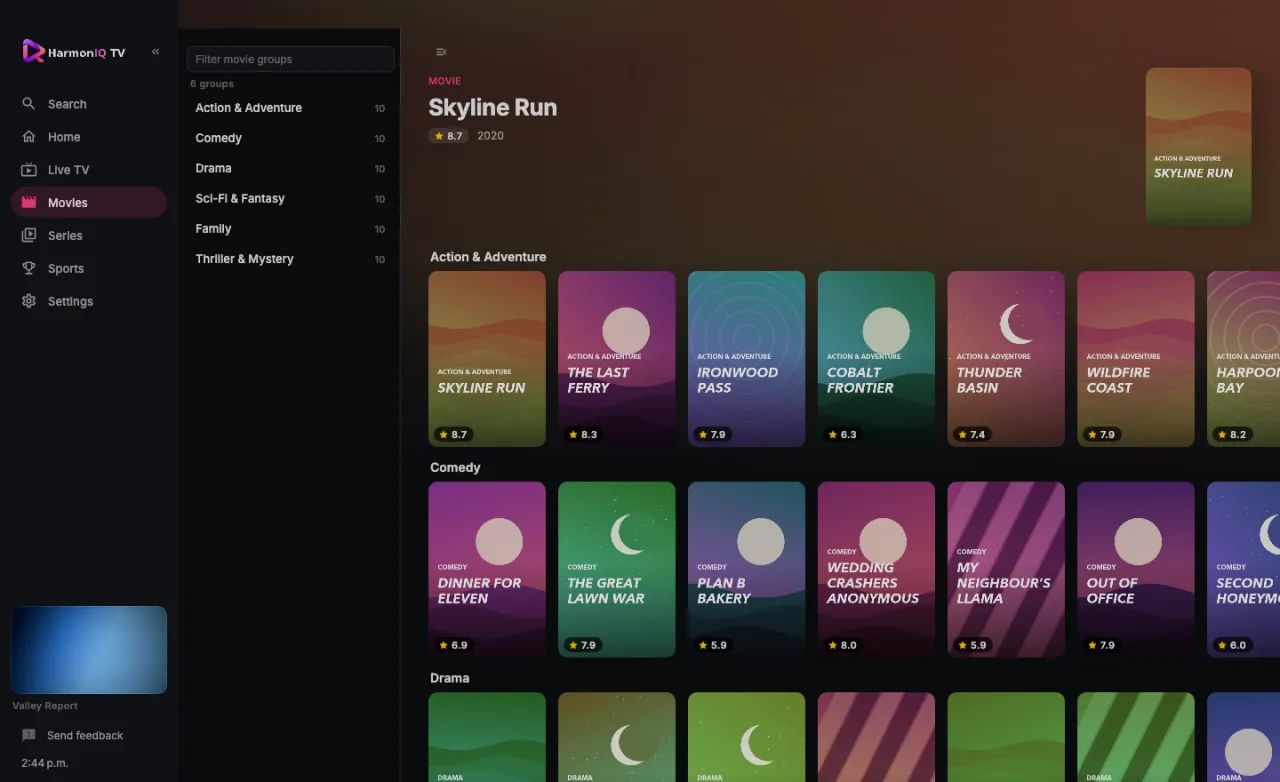
A library that looks like one.
Your provider's movies and shows, presented the way they deserve.
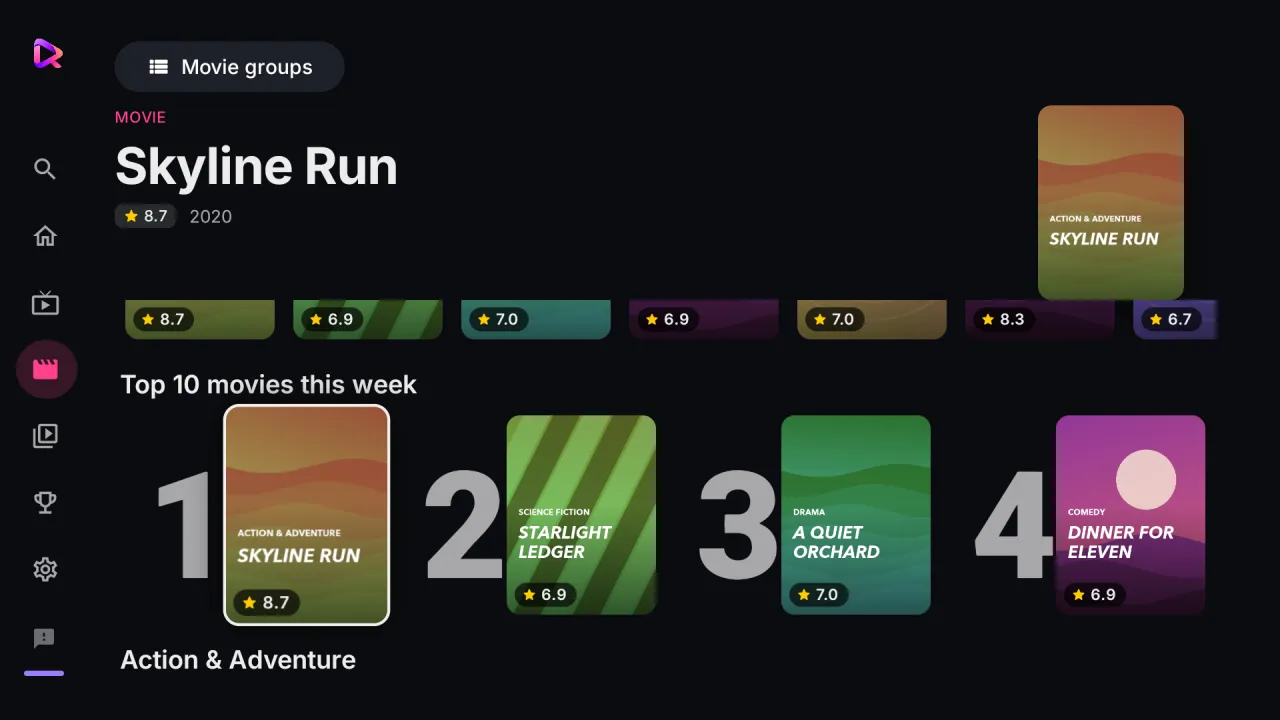
- Showcase rowsThe focused title fills the top of the screen, and the colours follow the poster. See all opens the whole category.
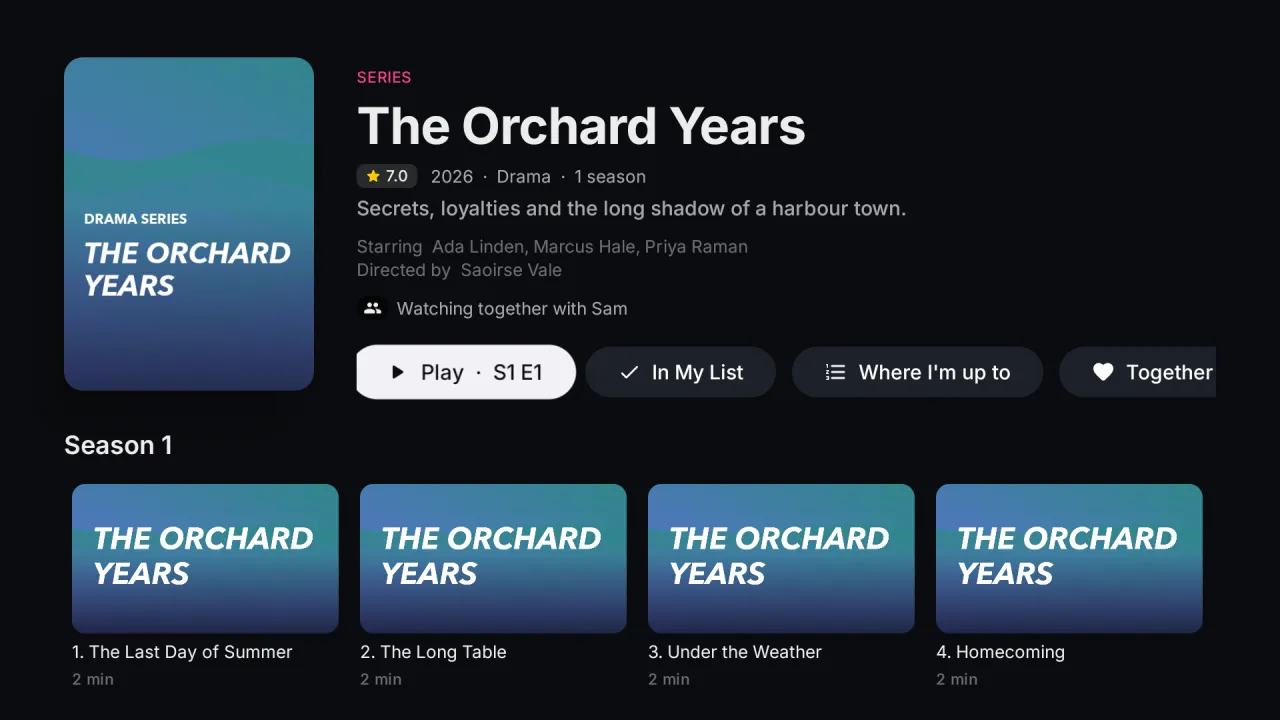
- Details, seasons, episodesSynopsis and cast, seasons as tabs, episodes with watched marks and progress.
- Poster menusHold OK on a movie or show for its menu; right-click on the Mac. Back closes one layer at a time and keeps your search.
- Continue Watching and My ListYour place is saved as you go, from every playlist in one row. Tidy it with a long press, undo if you change your mind, or mark an episode, a season or a movie watched by hand.
- Home, all yoursContinue Watching, favourite channels, recently watched, My List and the newest movies and shows share one Home. When you’re getting started, On now and Pick your channels help fill Home while your own rows take shape.
- Ratings and What's popularA star rating on every poster, from your provider or a public film database, and a What's popular row and order for the titles your playlist has. Rather not see ratings? Switch them off in Settings.
- The Up Next rowContinue Watching is only what you're part-way through. The next episode of each show you follow waits in its own row, Up Next, marked New when it arrived since you last looked.
- Up NextThe next episode starts by itself, unless you'd rather it didn't.
- Find subtitles onlineSearch public subtitle sources for what's playing and load them in, with a sync nudge.
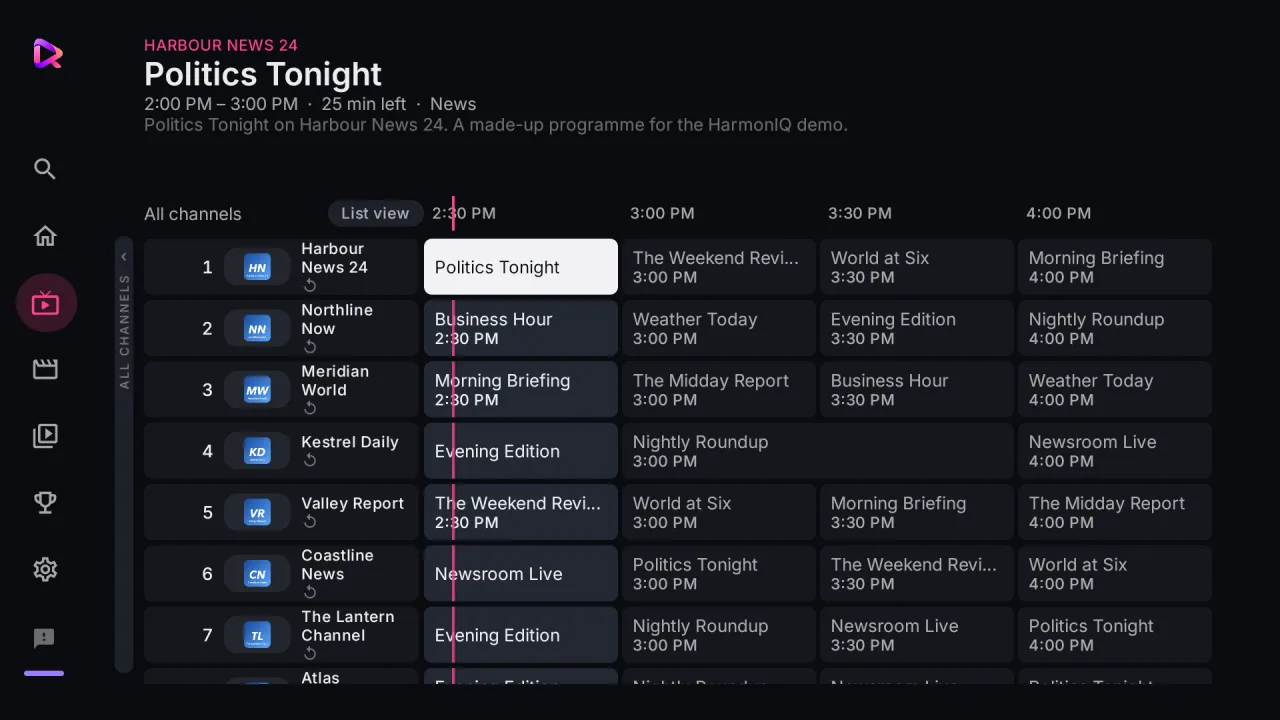
The guide and the channels are one place.
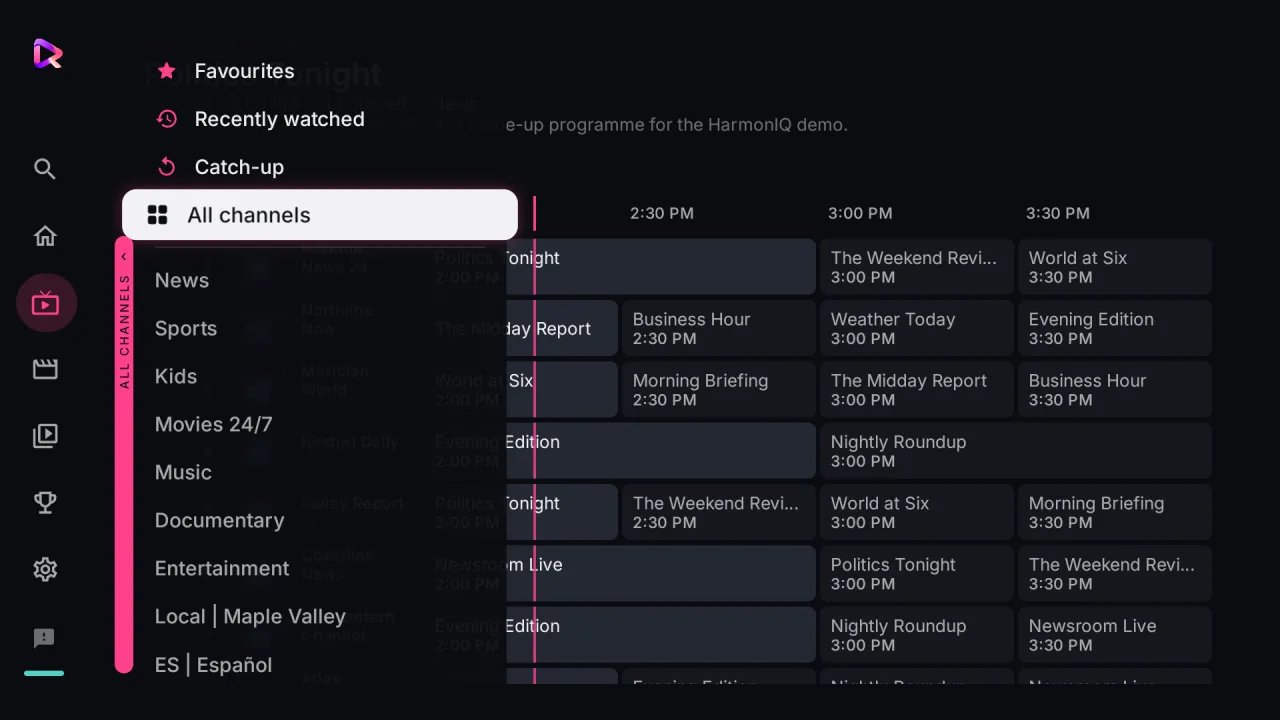
No separate guide to switch to. Live TV is the guide, with the channel you're watching still playing beside it.
- Now and next everywhereWith progress, in the channel lists, the list over the video and the banner.
- Keep your place in the guideMoving between channels keeps the time column. Channel keys on the TV, or Page Up and Page Down on the Mac, jump a page at a time.
- Browse without leavingUp and down show the next channels at the bottom of the screen while the current one plays. Back from full screen keeps it playing beside the list.
- RemindersSet one on any later programme. A pop-up, or a notification if you're elsewhere, takes you straight there, and Home lists what's coming up.
- A page for every programmeArtwork where the guide has it, the whole synopsis, watch, watch from the start or set a reminder, and when else it's on.
- A mini guide in the channel listThe channel in focus shows its programmes beside the list: replay one that's over, or open one that's coming up.
- Guide times put rightA guide that's in the wrong time zone can be moved, per playlist, in half hours. Reminders move with it.
- Favourites, your waySeveral named lists, recently watched, previous channel, number entry, and starting on the last channel.
- Tidy lineupsHide, rename and reorder groups and channels. Related groups fold into folders in Live TV, Movies and Series, with a name filter on the TV and Mac. Updates from your provider never undo your changes.
- Logos that always showCropped to fit, on the right plate for their colours, with a neat monogram when a logo can't be found.
- Home from anywhereHold Back from any screen to close everything and return to what you were watching.
Pause live. Go back hours.
Where your provider keeps past programmes, HarmonIQ makes them feel like a recording you own.
Catch-up is only available where your provider offers it for a channel, and for as long as they keep it.
- Pause any channelA short pause carries on from where you stopped; a long one picks up from catch-up.
- A timeline for live TVThe programme as a bar with the live edge marked, and how far behind you are.
- See what you can rewindA star marks your favourites and a replay mark shows which channels keep past programmes, wherever a channel appears. A Catch-up list sits with your own groups.
- Pick up where you left offLeave a recording part-way and it waits in Continue Watching until your provider stops keeping it. Come back to the channel within a few hours and HarmonIQ offers to resume.
- Catch-up plays like a movieSkip, pause and scrub without accidentally changing channel. Leave a programme part-way and it keeps its place in Continue Watching.
- One skip rule for every playerSmall steps on the rewind keys, big jumps on left and right. Both sizes are yours to set.
- Back in the guideScroll back through past programmes; the ones you can replay are marked.
Up to four channels at once.
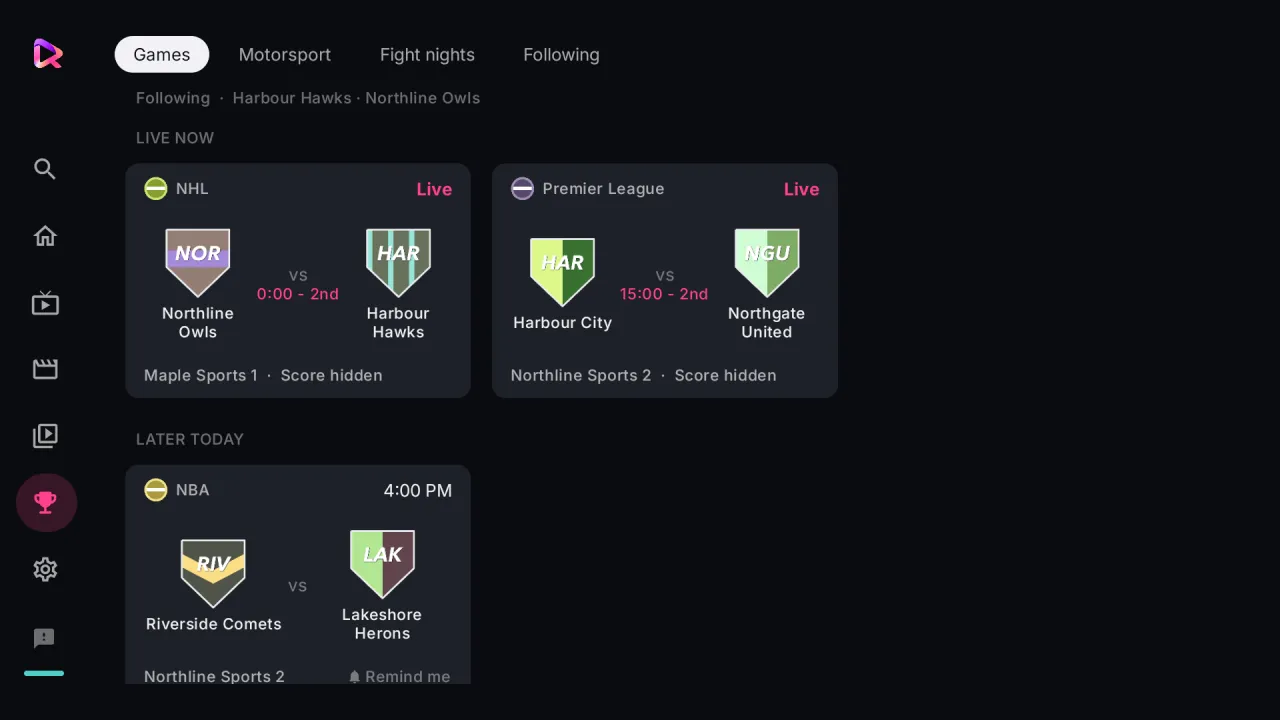
Keep an eye on the game while the news plays, without changing channel. Every screen is a full player with its own freeze recovery.
Each screen is another stream from your provider, so your account has to allow that many at once. On a Fire TV Stick 4K Max two screens play smoothly; from the third, HarmonIQ tells you the picture may stutter.
- Two, three or four screensBig and small, side by side, or a grid of four. Hold OK on a channel while browsing to add it as a screen.
- Picture in pictureA small window over the channel you're watching, in whichever corner suits you.
- The sound follows youMove between screens and the sound switches at once. Hold OK to make a screen the big one; the channel keys change its channel; a small menu changes the layout or takes it away.
One box for everything.
Channels, what's on now and later, and your providers' whole movie and series catalogues.
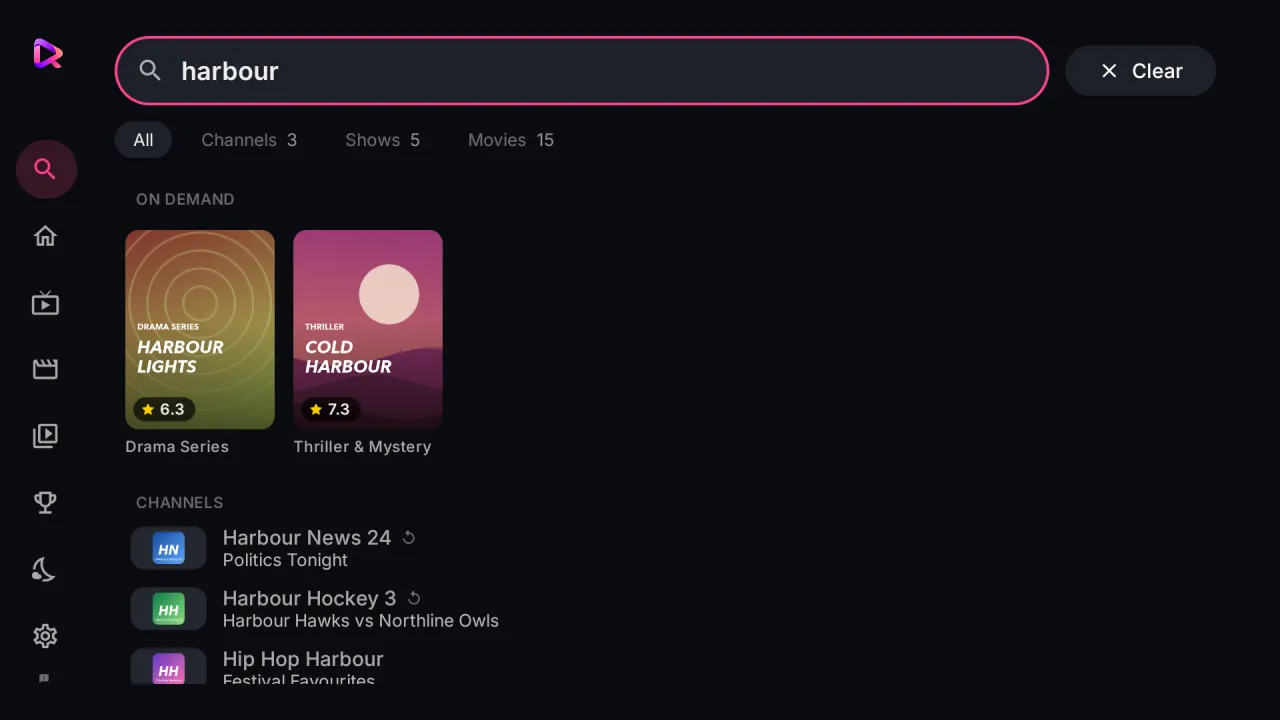
- Results as you typeFrom a fast index on the TV, best match first, with the provider's own results joining in. Each movie and show names its category, so a copy in another language or in 4K is easy to tell apart.
- Tabs that make senseAll, Channels, Shows, Movies, Sports, News, Kids, each with its count, and a filter for one playlist when you have several.
- Recent searchesKept when you finish typing, removable one at a time.
- Voice ComingWhere your remote and device support it.
Fixes what it can. Explains the rest.
Every player in HarmonIQ, live, catch-up, movies and episodes, has the same watchdog. When a stream still won't behave, HarmonIQ shows you whether it's the provider, your network, the device or the app.
Recovery depends on the stream being available from your provider. HarmonIQ can't fix an outage at the source.
- Freeze and stall recoveryA still picture, an empty buffer or a stream error is caught and reopened in seconds, at the same moment. A channel that really won't play says so plainly, without dragging the next one down with it.
- Clean channel changesThe old stream closes before the next one opens, so changes are quick and never pile up.
- Fast on modest hardwareDesigned on a Fire TV Stick 4K Max: smooth focus, an instant channel list, a picture in about two seconds.
- Stream details on the bannerResolution, codec, frame rate and audio, read from the stream itself.
- An event log on the TVWhat happened and when, in plain words, for the rare times you want to know.
- Incident reportsWhen something goes wrong, a short report with the evidence: the stream's own errors, the network, the device's decoder and memory. Read it in your account and send your provider something concrete. With Plus.
- Help from your AIIn Diagnostics, scan a QR code with your phone, copy what the TV saved and paste it into the AI assistant you already use. Nothing to set up, the link lasts a day, and you can stop sharing at any time. With Plus.
- Help from HarmonIQStuck? Let us look at your account, only with your say-so: switch on Let HarmonIQ help for a day or a week, see each time we did and what we changed, and switch it off whenever you like.
- Send feedbackFrom the side menu, or hold Menu for two seconds anywhere. The TV saves what was on screen, and you write a line on your phone. Free for everyone.
Every kind of playlist. One setup, every screen.
Stalker portals with MAC and serial, Xtream-compatible accounts and M3U playlists with XMLTV guides. One playlist free, up to five side by side with Plus.
- Provider-safe sign-inHarmonIQ sends exactly the details you entered for a playlist and nothing else. No made-up device IDs, no surprises.
- A simpler playlist formOn TV, choose the kind of details your provider sent. Not sure? Scan the QR code for step-by-step setup on your phone. Name, colour and advanced settings are optional, and Cancel asks before discarding changes.
- One playlist, every screenA playlist belongs to the household, not to one screen. Add it once and every screen uses exactly the same entry, and screens on one portal share its sign-in so they don't knock each other off. If your provider minds, turn sharing off for that playlist.
- Names and coloursEach playlist gets its own, so rows from different providers are easy to tell apart.
- A ready-made MAC and serialFor a new portal, or bring your own. Copy it to send to your provider.
- Background updatesChannels, guides and logos refresh on a schedule, and never twice at once.
What's next.
HarmonIQ is in early access. These are in the plan, roughly in this order.
- Bring your own AI ComingConnect the AI assistant you already use to your account. It reads your incident reports to explain what went wrong, and helps set up playlists, profiles and settings. You choose what it can reach. With Plus.
- Google TV and Android TV in Google Play ComingHarmonIQ already runs on Google TV and Android TV, installed from harmoniq.tv. Google Play comes later.
- HarmonIQ on iPad and iPhone ComingThe same account, playlists, profiles and history, used by touch, from the App Store.
- HarmonIQ on Windows ComingThe Mac app on a Windows PC, with a mouse and keyboard.
- Trakt ComingConnect a profile to your Trakt account: what you finish is sent to Trakt, and what you've watched anywhere else shows here. Only titles your own playlists have. With Plus.
- Local recording, backup to a file, themes Coming
Shaped with the people who use it.
Founders and early users tell us what to build next, in the app and in our Telegram group.
HarmonIQ brings no content. HarmonIQ TV is a media player. It includes no channels, streams, playlists or other content. You add your own sources and are responsible for having the right to watch them. HarmonIQ isn't affiliated with any content or service provider.